
Searching Cases by Name
First figure out which court probably has the case. Then turn to the official Public Access to MEC system, known as PAMEC, which gives read-only access to participating Mississippi electronic court records once you register. Use the tightest fields you can: party name, court, date, document, or case type. A lone party name can pull cases from several courts at once. It can also miss a name spelled or entered differently. Hang onto the court and case number from any hit, so your next Copiah County case search is not needlessly broad.
- Open the official PAMEC registration page and choose the public, non-attorney account path if a public account is needed.
- Log in and select the relevant participating court or county before entering a party name.
- Use the last name and available first-name, court, case, date, or document details to narrow the search.
- Open the matching docket sheet, record the case number and filing date, then read the visible status and recent entries.
- Call or visit the responsible clerk if the result is ambiguous, unavailable, restricted, or appears to be a legacy file.
What you can actually search on depends on the court and the record type. PAMEC's documented approach, though, supports these field categories.
| Field Label | Type | Required | Notes |
|---|---|---|---|
| Party name | Text | No | Use spelling variations when a first search does not locate a known case. |
| Case number | Text | No | The most direct search choice when it is available from a notice or prior docket entry. |
| Court or county | Selection | Depends on search | Choose the participating Copiah Circuit or Chancery court that matches the matter. |
| Date or document detail | Search filter | No | Use it to narrow a result rather than repeating a broad name search. |
Copiah County Case Search PAMEC Registration
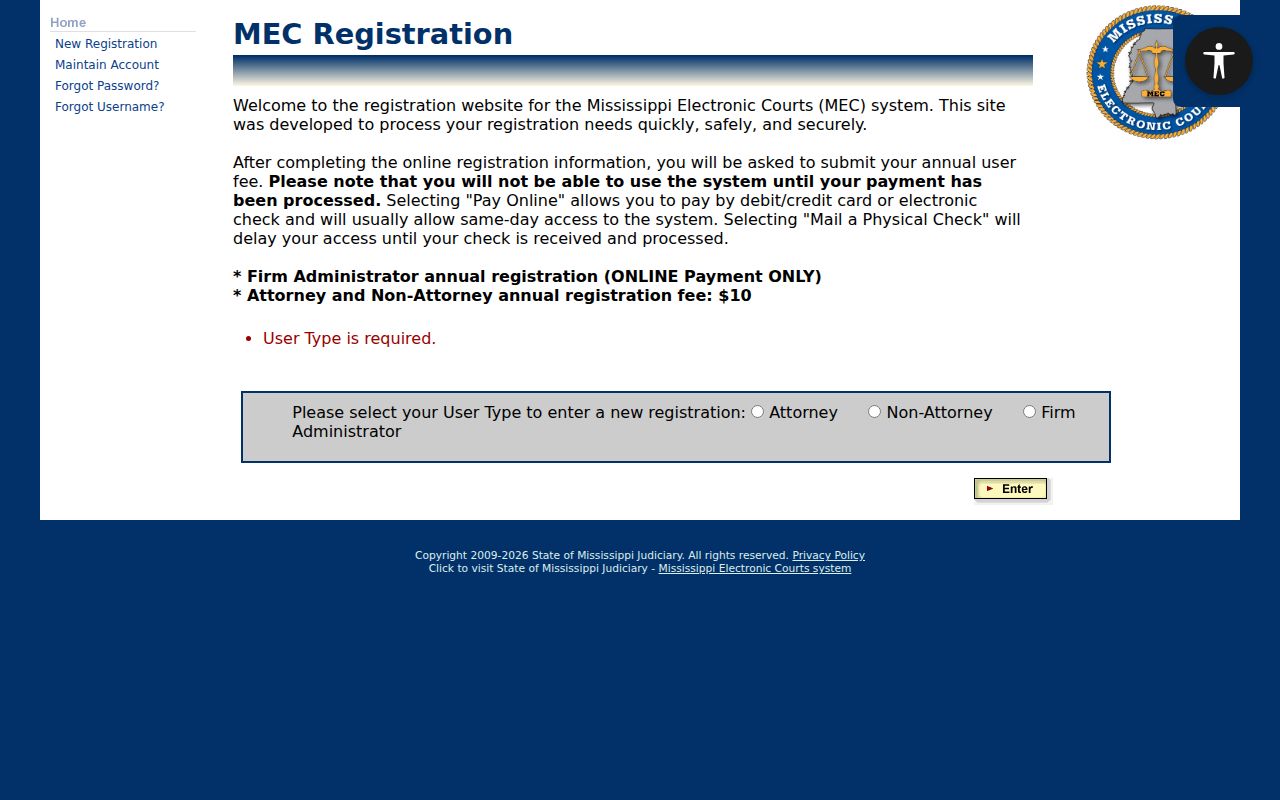
Registering for PAMEC is not the same as attorney filing access. On the official registration screen, you pick Attorney, Non-Attorney, or Firm Administrator. A member of the public takes the non-attorney path. You supply the requested account details and pay the stated annual registration charge. Online debit, credit, or e-check payment is the faster route, per the system's own description. A mailed physical check delays access. Once you are set up, the login screen offers username and password recovery links. The PAMEC account-type selection appears right on that registration screen.
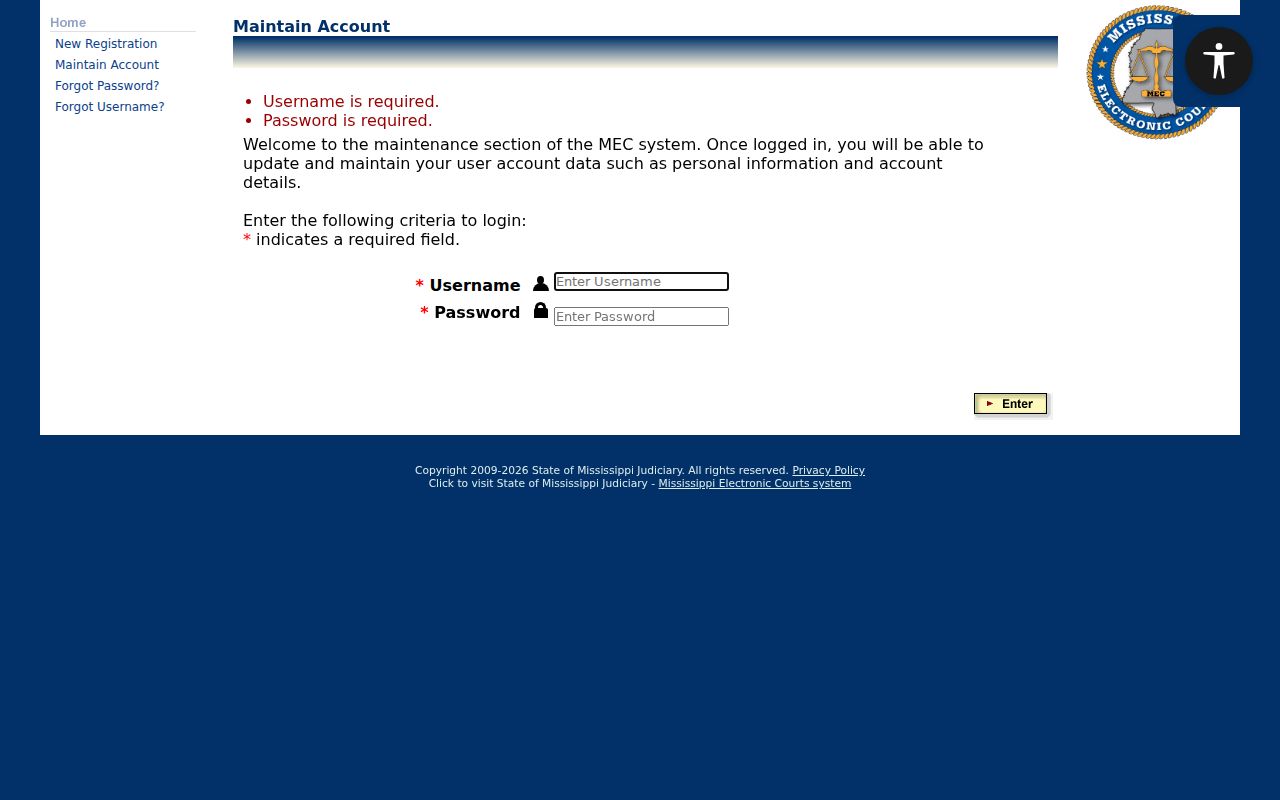
The account type matters. PAMEC is the public-access channel; MEC CM/ECF is the separate electronic filing system attorneys use for eligible filings. The official PAMEC login and account-recovery screen shows the recovery controls available after registration.
If account access is not ready in time, the clerk counter, the phone line, a courthouse terminal, or a permitted paper file will carry the case lookup forward.
Searching by Case Number
A case number is usually the cleanest route to the right docket. Local sample material shows year-number patterns, along with a KR criminal suffix pattern. Copy the number exactly as it appears on a notice, docket, order, citation, or clerk-provided information. Never build a Circuit case number from a guessed suffix or a citation number. Justice Court, municipal, Circuit, Chancery, and federal matters may each use different identifiers. Enter the full number in the court system that owns the case. Older filings from before electronic migration may return only a legacy indicator or a clerk-held record. A viewable document is not guaranteed in those cases. Remember what a docket sheet is. It is a chronological index of entries, not necessarily the full text of every filing.
Copiah County Case Search Court Selection
Copiah County splits its records custodians, so pick the right path. Circuit Clerk Derrick Cubit keeps the general docket and party names. His office also holds pleas, indictments, appeals, papers, orders, and full proceeding records for Circuit Court. Chancery Clerk Deborah Sandifer holds a different set: domestic, estate, guardianship, commitment, youth-court, land, and will records. The land-record index is not the same thing as the Chancery case docket. Justice Court and municipal cases go through clerk-specific contacts. The county posts no public Justice docket portal.
The official Circuit CourtInfo page lists Copiah Circuit's MEC Go Live date as July 6, 2020. The Chancery CourtInfo page lists April 18, 2016 for Chancery. One wrinkle: the local MEC host calls itself the Twenty-Third Circuit. The 2026 Secretary of State directory places Copiah in the 22nd Circuit District. Confirm the court selection with the clerk rather than assuming the district changed.
Choose the custodian first: A felony docket belongs with Circuit Court/MEC, a land instrument belongs with the Chancery Clerk’s index, and a traffic or city matter may belong with Justice or municipal court.
What a Copiah County Case Search Returns
A permitted PAMEC result can open a docket sheet. Where a case is not restricted, the documents the system holds open too. The sheet opens with court or county, case number, filed date, case type, and caption. Entries then stack up in date order: complaint, affidavit, indictment, petition, service, bond, arraignment, plea, motion, order, hearing, trial, judgment, appeal, or closure. A status flag on screen is helpful context. It does not give you the full legal meaning of the file.
| Case number | The court-assigned identifier; record it exactly before making a follow-up request. |
|---|---|
| Style or parties | The case caption visible in the permitted result, subject to restrictions and redactions. |
| Case type | The court’s category, such as criminal, civil, domestic, estate, land-related, or another docket designation. |
| Filed date | The date the record was filed or entered, not necessarily the date of the next court setting. |
| Status | A docket flag such as CLOSED, SEALED, EXPUNGED, BOUND OVER, TRIAL PENDING, or PLEA PENDING, where displayed. |
When a setting appears in the case history, run it through the Copiah County court calendar process and confirm the date with the court. An older docket entry alone is not enough.
Copiah County Case Search Costs
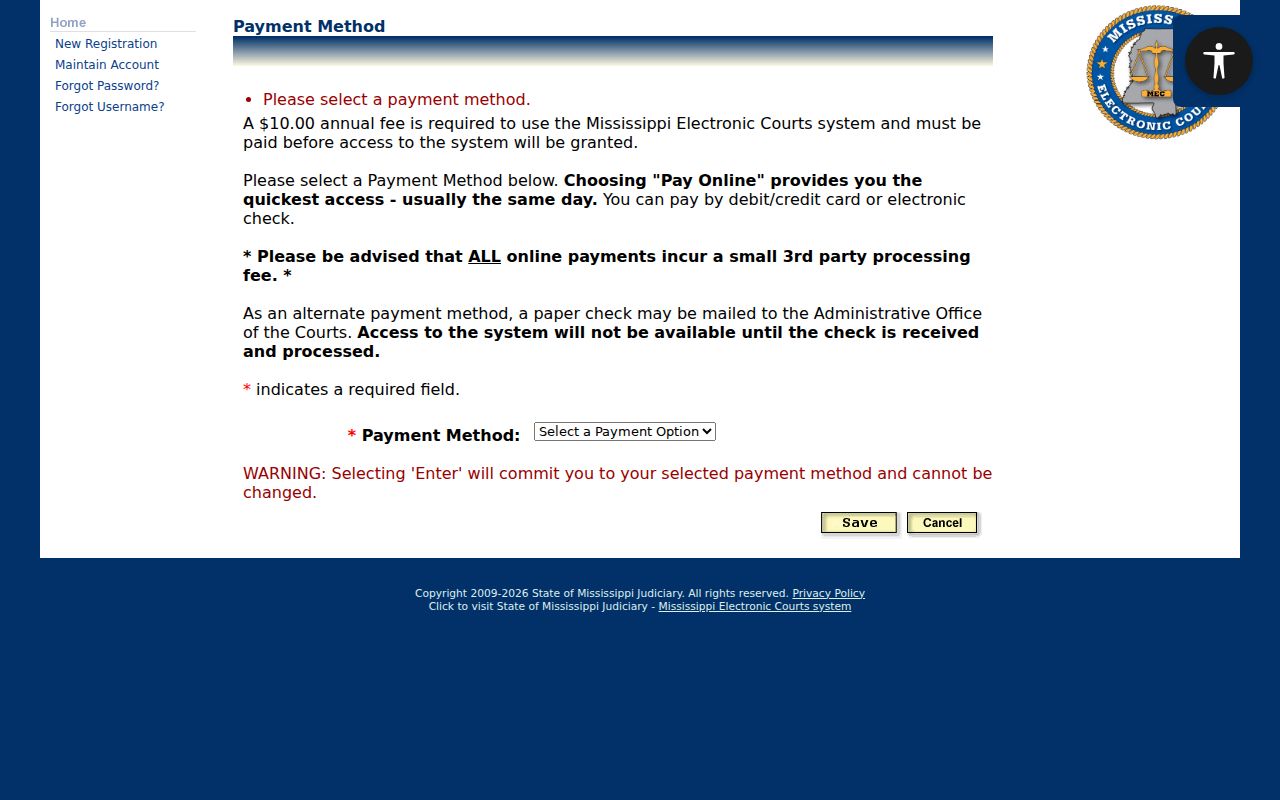
PAMEC's official terms set a $10 annual registration fee. The system then bills $0.20 for each page a search returns. A zero-result search still costs one page. That billing counts returned pages, not just the ones you print or read. Quarterly billing is part of the documented arrangement. These are access charges for PAMEC only. They are not clerk copy fees and not the price of a certified court record. The official PAMEC payment page lays out the annual-fee payment methods and the processing details.
Start with a narrow Copiah County case search. Get the spelling, court, case-number format, and date range right before you try again. PAMEC charges for a page even when nothing matches. Broad searches that fail cost money and teach you nothing. Fees can shift under the system's terms. Check the official payment and terms pages for current charges before you run the docket search.
Statewide vs County Case Search
PAMEC is a statewide public-access layer. It covers participating electronic courts. So it is not a single Copiah-only case database. It works well when you already know the court and case number. It also serves a permitted Circuit or Chancery docket well. Copiah County splits its own case lookup routes by office. Circuit matters run through the Circuit Clerk and Circuit MEC. Chancery cases go through the Chancery Clerk and Chancery MEC. Land instruments use the separate Chancery land interface. Justice and municipal records stay contact-based.
| PAMEC statewide access | Copiah court and clerk paths |
|---|---|
| Participating Mississippi electronic court dockets and permitted documents. | Separate Circuit, Chancery, Justice, and municipal custodians. |
| Requires registration and uses the system’s page-return billing rules. | May involve a clerk call, counter visit, mail request, public terminal, or local index. |
| Best for a known participating case and its remote docket view. | Best for records outside a remote result, a certification question, or court-specific confirmation. |
Copiah County Case Search Land Index
The county-linked Chancery land-record interface covers a different category of records. Choose from Search All, Grantee, Grantor, or Matched Name. Names must follow the lastname, firstname format shown in the field. Filters let you narrow by date range. You can also filter by recent filing period, instrument year and number, volume, recording location, and instrument type. A hit can yield an instrument number, book and page, parties, and related instruments. It may also return property details, plus an image or PDF when one exists. Read the portal's own warning. The online index is informational only, and the courthouse index controls. The site may sell an official record or certified copy. That does not make it a full court-case search for Copiah County. For a Chancery case, a restricted record, or a certified copy, ask the Chancery Clerk directly.
Copiah County Case Search Legacy Flags
Not every Copiah County case produces a full result online. Chancery MEC went live in 2016, and Circuit MEC followed in 2020. Files older than those dates may sit as legacy records. Even a current court file can hold paper originals, exhibits, or clerk-held documents. No public electronic view reaches those. So a thin result does not mean the case is thin. Write down the case number, the court, and the filing date from whatever the docket search returns. Those three details give the clerk what she needs to point you to the next step.
- LegacyCase
- A CourtInfo indicator that the record has a legacy or migration context; it does not tell the whole file’s availability.
- ELECTRONICBOOK
- A local electronic-record indicator whose presence does not guarantee a complete remotely viewable case file.
- Vault_In or Vault_Out
- Local storage or file-location indicators that can require a clerk to explain where the record is held.
- CLOSED
- A docket status that generally signals no active proceeding in that view, not a substitute for reading the docket history.
If a flag or a blank result leaves you unsure about a case, stop searching in circles. The clerk's public terminal, the counter, a phone call, or a letter to the Copiah County clerk will answer what a broad online docket search cannot.
Access and Restricted Cases
PAMEC shows docket sheets and documents only for cases that are not restricted. In the local MEC environment you may see flags. Examples include SEALED, Sealed_Case, EXPUNGED, LegacyCase, ELECTRONICBOOK, Vault_In, and Vault_Out. A flag might mean the case is restricted. It might mean the case was migrated from an older system, or it may simply show where the record sits in storage. It does not describe the whole case, and it never grants access to a document behind the restriction. A blank result can be temporary. It is not proof that a case was dismissed or never existed at all.
Youth-court records carry the tightest limits. Copiah County has no separate county court, so the Chancery Court handles youth-court work. Mississippi Code §43-21-261 restricts records involving children except for people the statute names or a youth court order covers. Other areas can be limited too. Adoptions, certain DHS and child-support cases, commitments, and guardianship details may all be off limits to the public docket. The same goes for protected personal information, sealed records, and material under a protective order.
When a record is restricted or missing, contact the Circuit Clerk or the Chancery Clerk. Ask whether you can still get a lawful index entry, a redacted copy, docket-only access, or an in-person inspection. Request the court rule or legal basis for any restriction as well. Never try to get around a login. Do not treat a cached result as a substitute for the responsible court's own record.